기어 축 맞물리는게 참으로 예술적이다
관련한 퍼즐도 재미있을것 같다
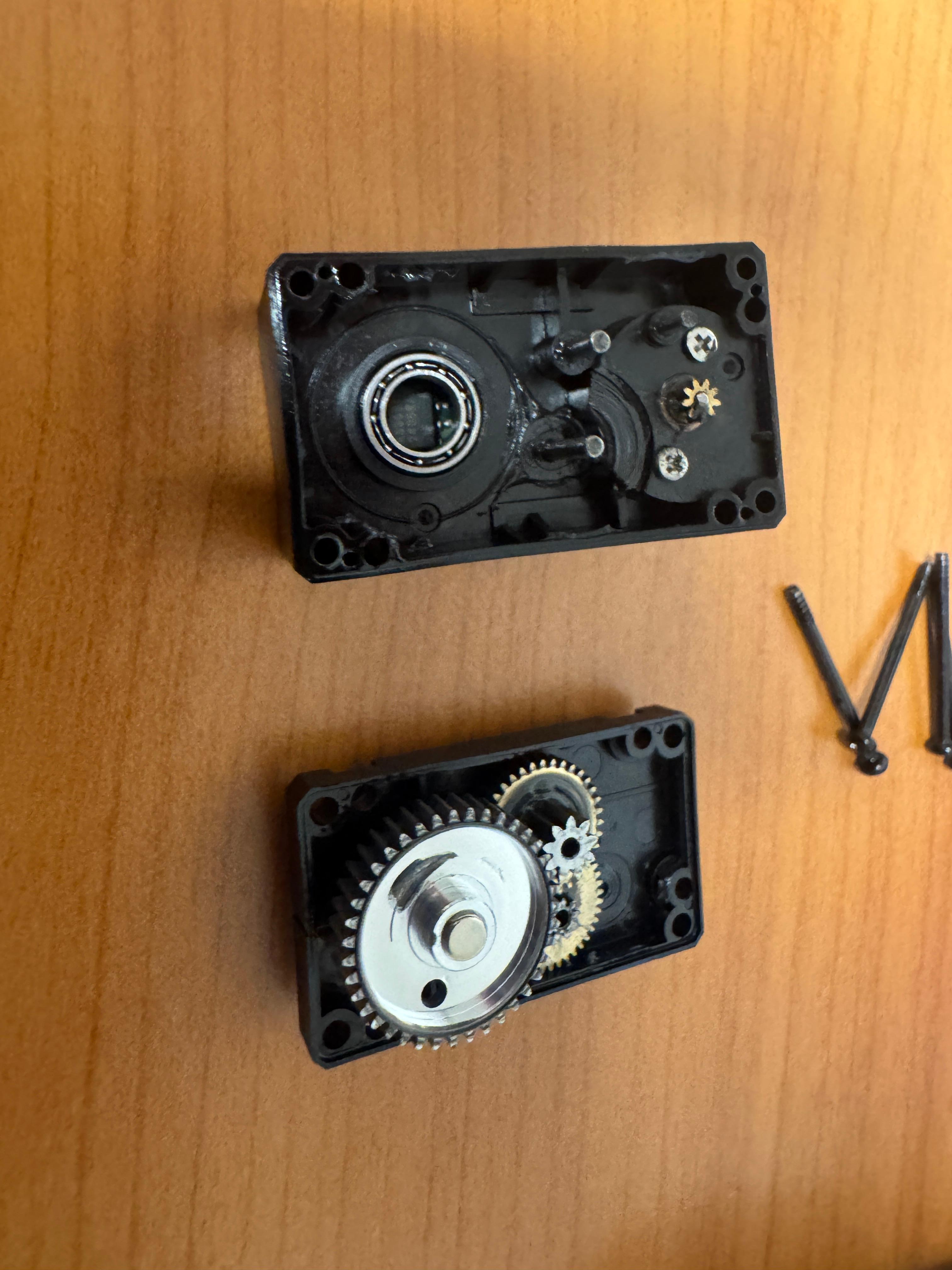
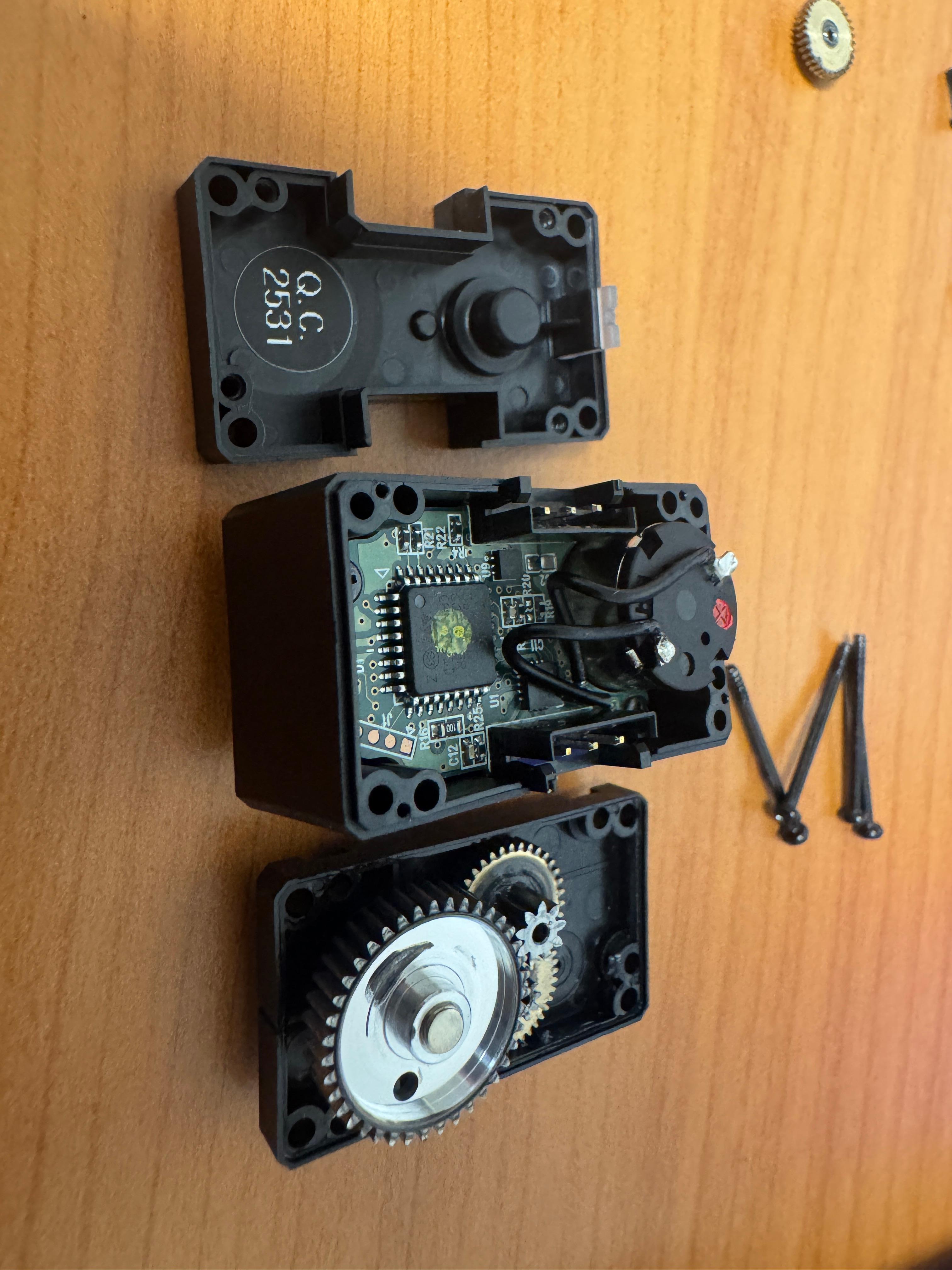
기어 축 맞물리는게 참으로 예술적이다
관련한 퍼즐도 재미있을것 같다
By default, clicking the TextEdit icon on Mac doesn't open a new document and shows a file selection dialog, forcing you to click "New Document" one extra time. Annoying, right?
With one Terminal command, you can make TextEdit open a new document the instant you click its icon.
defaults write com.apple.TextEdit NSShowAppCentricOpenPanelInsteadOfUntitledFile -bool falseIf you want to go back to the original behavior (showing the file selection dialog first), enter this command:
defaults write com.apple.TextEdit NSShowAppCentricOpenPanelInsteadOfUntitledFile -bool true
| [Mac] 맥북 텍스트편집기 앱 클릭하면, 바로 새문서 뜨게 하기 (0) | 2026.09.11 |
|---|---|
| [Review] Elon Musk - July 20th, 2026 Economist Interview (0) | 2026.08.30 |
| [중요] 심우주 통신에 대하여 (AI답변) (0) | 2026.08.09 |
| Universe rewards your impact. (0) | 2026.05.14 |
| Perfection needs to be assured in saftey first technology. (0) | 2026.03.30 |

원래는 텍스트 편집기를 클릭하면 새 문서 대신 파일 선택 대화상자가 떠서, 내가 새문서 버튼을 한번 더 클릭해야 하는 불편함이 있었다.
이 명령어를 사용하면 텍스트 편집기 아이콘을 클릭했을 때 바로 새 문서가 뜨게 할 수 있다.
defaults write com.apple.TextEdit NSShowAppCentricOpenPanelInsteadOfUntitledFile -bool false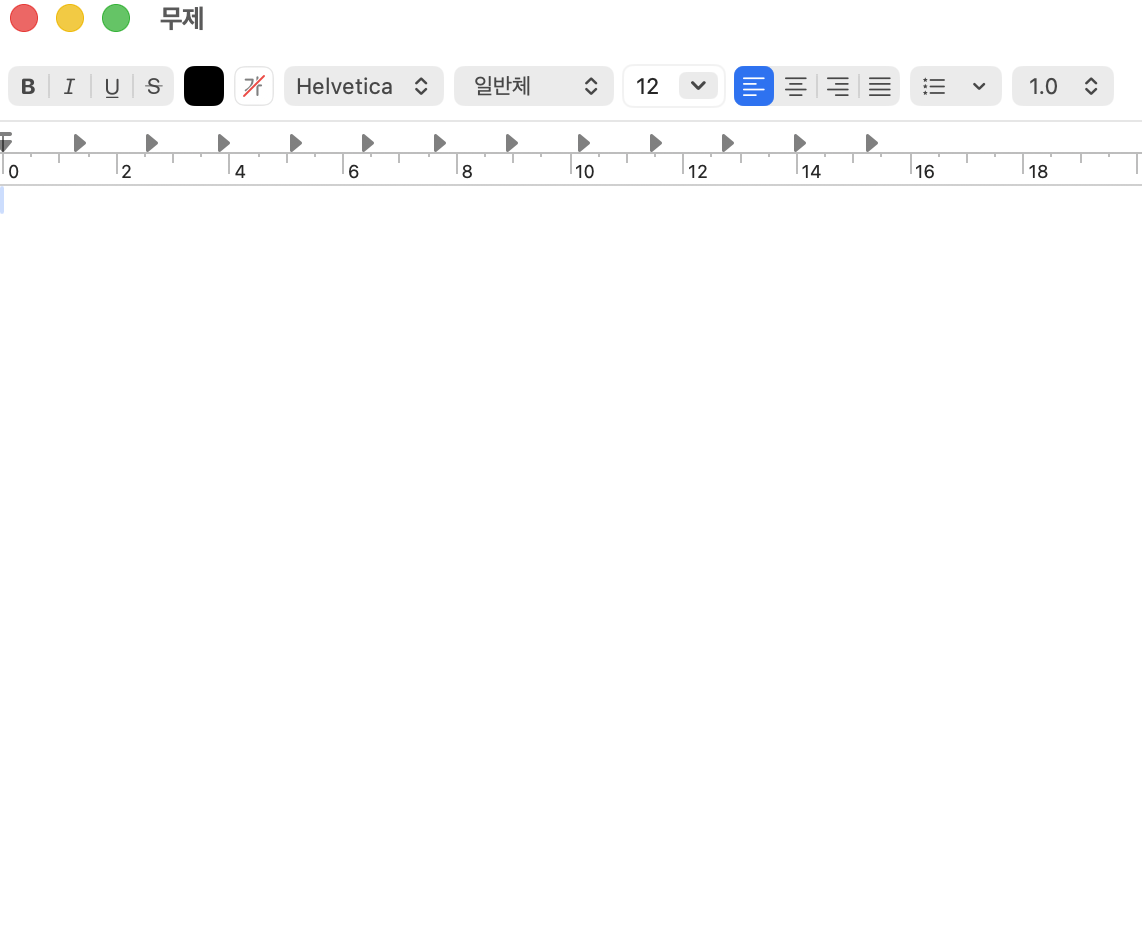
파일 선택 대화상자가 먼저 뜨는 원래 방식으로 돌아가고 싶다면 아래 명령어를 입력하면 된다.
defaults write com.apple.TextEdit NSShowAppCentricOpenPanelInsteadOfUntitledFile -bool true
| [Mac] Make TextEdit Open a New Document Immediately on Mac (0) | 2026.09.11 |
|---|---|
| [Review] Elon Musk - July 20th, 2026 Economist Interview (0) | 2026.08.30 |
| [중요] 심우주 통신에 대하여 (AI답변) (0) | 2026.08.09 |
| Universe rewards your impact. (0) | 2026.05.14 |
| Perfection needs to be assured in saftey first technology. (0) | 2026.03.30 |
serial monitor에서 계속해서 websocket disconnect라고 뜬다
```
:52:44.860 -> Wi-Fi connected.
```
```
20:52:45.861 -> ESP32 OpenRB motor command bridge ready
```
```
20:52:45.861 -> Type ON, OFF, TOGGLE, STATUS, or MOVE 2048 and press Send.
```
```
20:52:48.310 -> VPS WebSocket disconnected; remote commands are unavailable
```
```
20:52:54.378 -> VPS WebSocket disconnected; remote commands are unavailable
```
가장 흔한 원인: ESP32 시계가 안 맞아서 인증서 검증 실패
ESP32는 부팅 시 시계가 1970년으로 초기화되는데, beginSslWithCA는 인증서의 유효기간(Not Before/Not After)을 실제 시계와 비교.
시간이 안 맞으면 인증서가 "아직 유효하지 않음"으로 보여서 TLS 핸드셰이크가 바로 실패하고 연결이 끊김.
지금 로그처럼 연결 시도도 없이 바로 disconnected 뜨는 패턴이 전형적인 증상.
확인 방법: WiFi 연결 직후, WebSocket 연결 시도 전에 NTP로 시간 동기화하는 코드가 있는지 확인.
NTP로 시간 동기화하는 코드 없으면 아래와 같이 추가:
#include <time.h>

void syncTime() {
  configTime(0, 0, "pool.ntp.org", "time.nist.gov");
  Serial.print("NTP 시간 동기화 중");
  time_t now = time(nullptr);
  while (now < 100000) {  // 1970년이면 아직 동기화 안 된 것
    delay(500);
    Serial.print(".");
    now = time(nullptr);
  }
  Serial.println("\n시간 동기화 완료");
}
setup()에서 WiFi 연결 성공 직후, connectWebSocket() 호출 전에 syncTime()을 넣어주기.
.
.
.
추가 완료한 항목들 (Wi‑Fi 연결 직후 NTP 동기화를 마친 다음 TLS WebSocket을 연결)
시리얼 모니터에서 다음이 보이면 정상.
Synchronizing NTP time...
NTP time synchronized
VPS WebSocket connected
또다시 websocket disconnect오류 - GitHub Pages(HTTPS)는 Mixed Content 정책상 암호화 안 된 ws:// 연결을 브라우저가 차단.
Wi-Fi connected. ESP32 IP: 192.168.11.108
20:57:53.086 -> Synchronizing NTP time..........
20:57:58.083 -> NTP time synchronized
20:57:59.084 -> ESP32 OpenRB motor command bridge ready
20:57:59.084 -> Type ON, OFF, TOGGLE, STATUS, or MOVE 2048 and press Send.
20:57:59.827 -> VPS WebSocket disconnected; remote commands are unavailable
20:58:05.668 -> VPS WebSocket disconnected; remote commands are unavailable
20:58:11.821 -> VPS WebSocket disconnected; remote commands are unavailable
20:58:17.752 -> VPS WebSocket disconnected; remote commands are unavailable
20:58:23.774 -> VPS WebSocket disconnected; remote commands are unavailable
20:58:30.870 -> VPS WebSocket disconnected; remote commands are unavailable
20:58:36.704 -> VPS WebSocket disconnected; remote commands are unavailable
20:58:42.926 -> VPS WebSocket disconnected; remote commands are unavailable
20:58:48.891 -> VPS WebSocket disconnected; remote commands are unavailable
20:58:54.596 -> VPS WebSocket disconnected; remote commands are unavailable
20:59:00.236 -> VPS WebSocket discon
해결: VPS에 도메인+Nginx+Let's Encrypt 인증서 발급해서 wss:// 제공

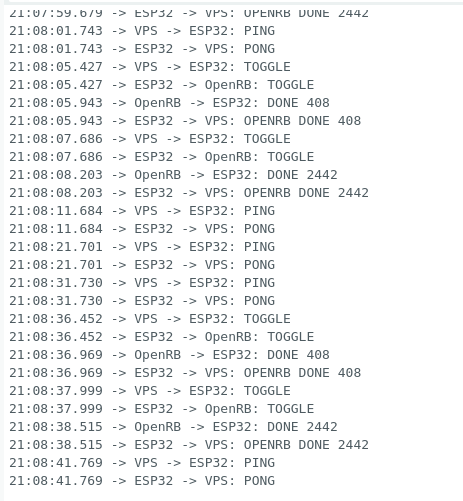
오류해결중
| ESP32 WebSocket 계속 disconnected (1차) | 부팅 직후 ESP32 시계가 1970년 → 인증서 유효기간 검증 실패 | NTP로 시간 동기화 후 WebSocket 연결하도록 순서 변경 |
| ESP32 WebSocket 계속 disconnected (2차) | /ws/client 경로로 접속했는데, 이 경로는 브라우저 Origin 검사가 걸려있어서 Origin 헤더 없는 ESP32는 403 거절 | ESP32 경로를 전용 라우트 /ws/esp32(Origin 검사 없음)로 원복 |
| 인증서 신뢰 문제 | ESP32는 브라우저처럼 내장 루트 인증서 저장소가 없음 | VPS의 실제 chain.pem을 뽑아서 beginSslWithCA()로 코드에 하드코딩 |
| WSS 자체가 필요했던 이유 | GitHub Pages(HTTPS)는 Mixed Content 정책상 암호화 안 된 ws:// 연결을 브라우저가 차단함 | VPS에 도메인+Nginx+Let's Encrypt 인증서 발급해서 wss:// 제공 |
📱 Phone (브라우저)
   ↓ HTTPS
GitHub Pages
   ↓ JavaScript, wss://
☁️ VPS
   ├─ Nginx
   ├─ Let's Encrypt SSL 인증서 (Certbot 자동 갱신)
   └─ FastAPI (uvicorn, systemd로 상시 구동)
        ├─ /ws/client  → 브라우저용
        └─ /ws/esp32   → ESP32용
   ↑ wss://
ESP32 (WebSocketsClient 라이브러리, beginSslWithCA + NTP 동기화)
   ↓ UART
OpenRB-150
   ↓
XC330 모터
| Buying Parts to move motor with ESP32 (0) | 2026.08.14 |
|---|---|
| [PROJECT OVERVIEW] Life Switch (0) | 2026.08.11 |
가끔 Handoff 기능이 맥과 아이폰 사이에서 안될때가 있다.
예를들어 아이폰에서 글자나 사진을 복사한 후, 맥에서 붙여넣기를 하면 그대로 클립보드 내용을 아이폰에서 가져올 수 있는 기능이다.
먼저 아이폰과 맥북의 Handoff 토글이 잘 켜져 있는지 확인하자.
아이폰: 설정 -> 일반 -> AirPlay -> Handoff
맥북: 설정 -> 일반 -> AirDrop 및 연속성 -> Handoff
그래도 안된다면 맥북 터미널에서 killall pboard를 입력하자
killall pboard
그럼 기능이 정상적으로 작동 될것이다.
(Author's note)
So fascinating that I watched this interview twice.
Writing this to reflect on this interview after 5 years from now. 2031.
https://youtu.be/XuoqKYxDHVc?si=fkFlQGgAxd7cMdiz
Elon Musk Forecast:
In 2031, AI intelligence exceeds the human intelligence.
In 2036, AI intelligence is far greater than sum of all human beings intelligence in earth.
Humans will be unlikely to control the robot after a decade.
If there is no war like ww3, than there will be age of amazing abundance.
Economy = digital + physical intelligence
We are now shaping atoms from Digital intelligence
Money wont matter in 2036 due to amzing abundance. Production of goods and services.
There might be deflation than inflation.
(..there's contradiction: elon did DOGE to save US gov money. Why does he save money if money wont matter. elon says "buying tesla shares will make money in the end", but why should people buy the shares if money wont matter.)
In the Interview with the Tyson in 2016, Elon said
"Terrifying me the most is rapid recursive self improvement in AI. We will be the best pet Lebrado, at best."
Now in 2026, Elon. changed his mind. Elon came to philosophical conclusion to see the brighter side.
There is risk, not zero risk.
Elon says "Can't stop this incredible momentum of AI. It's Inevitable."
"Lets hope for the best
Lets enjoy the ride
There is still the chance of blowing out by killer robot but
we can not do anything
min the risk rate is only we can do."
"Be sad about it
or
Join the club"
Elon founded openAI to just keep the Google AI in check.
But it made Anthropic as a result.
So he admit that he accelerated the AI as a result.
china make great model even they lack chips
it means if china has enough chips, china could beat US.
Constraints on AI is Chips and Electricity(Power).
Chips require Power
Many chips is leader in AI
Compute is Chips.
- Out of China (EU India US)
Constraints in Power
Rate of AI production exceeds power.
Once US address the power constraints with space AI data center,
constraints will be once again chips.
- China
Constraints in Chips
Starve in chips, but has lots of power
Now in lithogrphy problem, but China is close to slove this.
(Given the current trajectory Elon expects) China will have 4X power production of US. This is roughly proportion of population.
(If China succeeds in chip production, then there's nealy no constraints in China AI.)
AI Safety is urgent.
Seeking truth and curious(AI) will foster humanity.
US and China Gov have power to take action on AI safety.
Need AI Safety Association.
Like Motion Pictures Assocation decides how movie should be rated 15, 19, children or not.
AI Safety: Early Access by Competitors.
First wave inside the asscoation before launching new models to the world.
Check AI safety.
AI model makers check each other's work.
-> if issue exists, tell the Gov
-> Gov take action to model makers
ex) Amazon call white house about AI Safety.
Model makers are not going to show shiness about highlighting their competitors model's risk
that should be delayed in release.
The road to hell is paved with bad intention. Those are a few good intention, so we don't be complacent.
Work is going to be Optional.
AI will gonna be stockfish level. But we do chess even though. same thing.
Elon's best book envisioning of an AI is Culture series by Ian Banks.
There will be massive redistribution.
Treasury issues checks to people.
Due to abundance of goods and services, there will be no inflation.
Rather,might be deflation.
About the keyman risk in company,
Elon says that withoout the keyman its gonna be well but there will be no incredible breakthrough. Taking Steve Jobs case in example.
Elon emphasizes his vision to "Future light cone of conciousness as big as possible".
Elon sometimes feels like somewhat surreal these days.
But it will happen. Preposterous things will become real.
Elon says there not only him that forecast future, quoting the Ray Kurzweil's "Singularity".
About the Starlink, Elon says he is not the one who tipping the scale. Elon just advocates peace and we need to be pragmatic to stop people dying senselessly. Ukraine is not going to retake territory, the balance of the war is not shifting due to Elon.
Elon just wants to stop the war, minimize death.
About the EU, Elon is not in the lunatic left fringe.
Elon does not exaggerate the scale of EU's problem.
Elon does not making huge divisions in EU.
He's just following principles, but some people a few people are in Cassandra efffect.
Back to AI,
AI digital super intelligence is Singularity.
Its like a black hole. We do not know whats gonna happen after that.
Because it sucks everything.
Really macro effects with AI Robotics Revolution.
AI and Robotics will dominate everything less than a decade.
| [Mac] Make TextEdit Open a New Document Immediately on Mac (0) | 2026.09.11 |
|---|---|
| [Mac] 맥북 텍스트편집기 앱 클릭하면, 바로 새문서 뜨게 하기 (0) | 2026.09.11 |
| [중요] 심우주 통신에 대하여 (AI답변) (0) | 2026.08.09 |
| Universe rewards your impact. (0) | 2026.05.14 |
| Perfection needs to be assured in saftey first technology. (0) | 2026.03.30 |
우연히 인터넷에서 발견한 내용
This was a really enjoyable read. I've heard this mindset applied in other things but never in a living space. It reminds me of the journey one has when starting backpacking, but reversed. You start off thinking you'll need all this stuff which weighs about 35 pounds and after each trip you always end with "I need to drop more weight" or "I didn't use X at all". After a while you come to refined set of items that truly outlines what you need to live, and what you really enjoy since every gram counts.
한달이상의 배낭여행을 해보면
무엇이 진짜 삶에 필요한것인지 알게된다.
2주까지는 캐리어를 들고도 다닐수 있지만 그것이 한계이다.
한달이상 부터는 당연히 현지에서 빨래도 해야한다.
계속해서 이동하고 국가를 넘나들려면
우리는 배낭무게를 줄여야하고
정말 필요한 가벼운 배낭을 매게 되었을때
느낀다.
삶을 살아가는 데에 많은 것이 필요하진 않구나 라고.
나는 이것이 배낭여행의 매력이라고 생각한다.
여행은 힘들다.
항상 좋진 않다.
매번 좋을 수는 없다.
음식이 맛있는 곳도 있고, 맛없는 곳도 있고, 니맛도 내맛도 아닌곳도 있고,
교통/숙박/음식/관광 가격이 비싼곳도 있고, 적당한 곳도 있고, 싼곳도 있다.
매일 매끼니, 순간순간, 새롭게 마주치게 되는 많은 사람들 속에서
지치고 힘들고 상처받거나 기쁘고 눈물나게 웃고 고마울때도 있다.
많은 변수들을 통제할 수 없어 그날그날 운에 맡긴다.
내리막길이 있으면 오르막길로 치유가 된다.
여행은 삶의 축소판이고
삶이 곧 여행이다.
Jump to the Bottom in Tistory Editor
Windows:
Ctrl + End
Mac:
Cmd + Down Arrow
Cmd + End
Enjoy your writing!
Delete Entire Line
Ctrl + C : Cancels the current line and starts a clean, new prompt.
Ctrl + U : Deletes everything to the left of the cursor. If the cursor is at the end, it clears the whole line.
Delete by Word or Position
Ctrl + W : Deletes one word to the left of the cursor.
Ctrl + K : Deletes everything from the cursor to the end of the line.
Move Cursor Quickly
Ctrl + A : Moves the cursor to the beginning of the line.
Ctrl + E : Moves the cursor to the end of the line.
| [Simple] Cursor Extension Guide - using codex, claude , grok etc (0) | 2026.08.14 |
|---|
New Parts Arrived - ESP32
In the below photos,
Rectangular one is ESP32-S3 DevKitC-1
And the other one is 5.5 x 2.5mm DC to USB C PD Adapter.

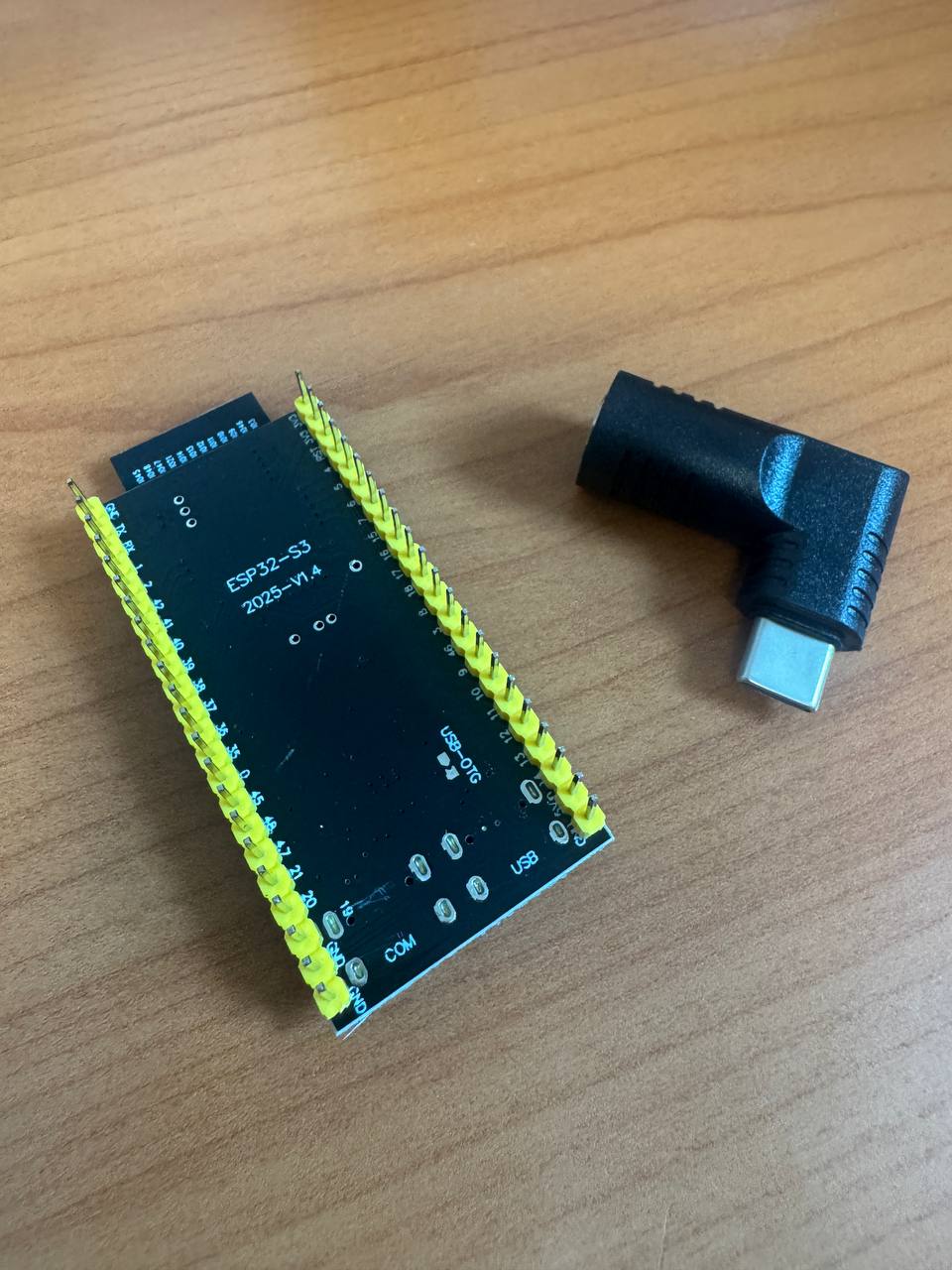
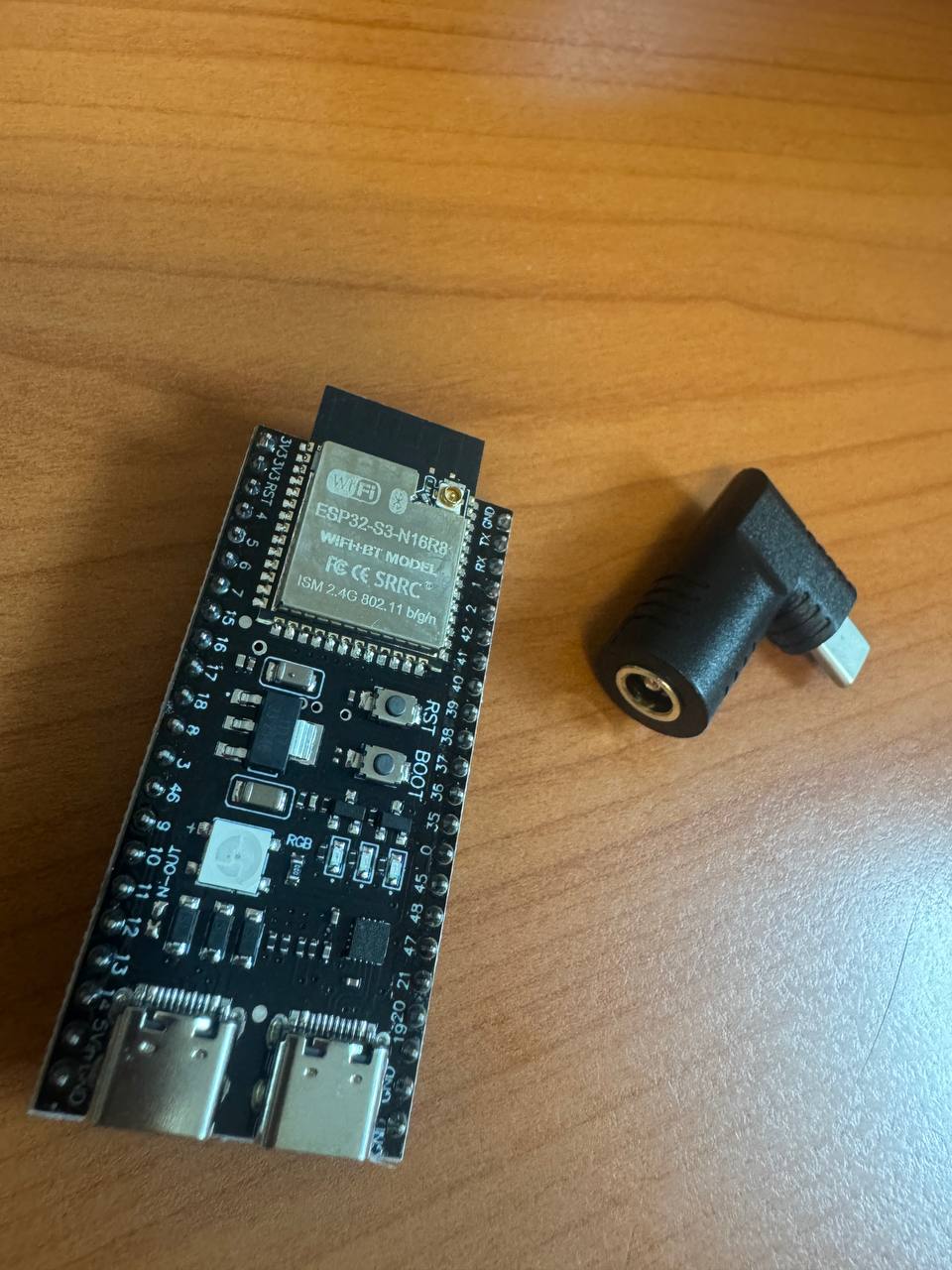
The ESP32 board takes a 5V power input.
Also, to run the XC330 motor, I needed a 5V power.
Bought a 5V 3A power adapter and some jumper cables at the Electronics Market. (Yongsan Electronics Market)
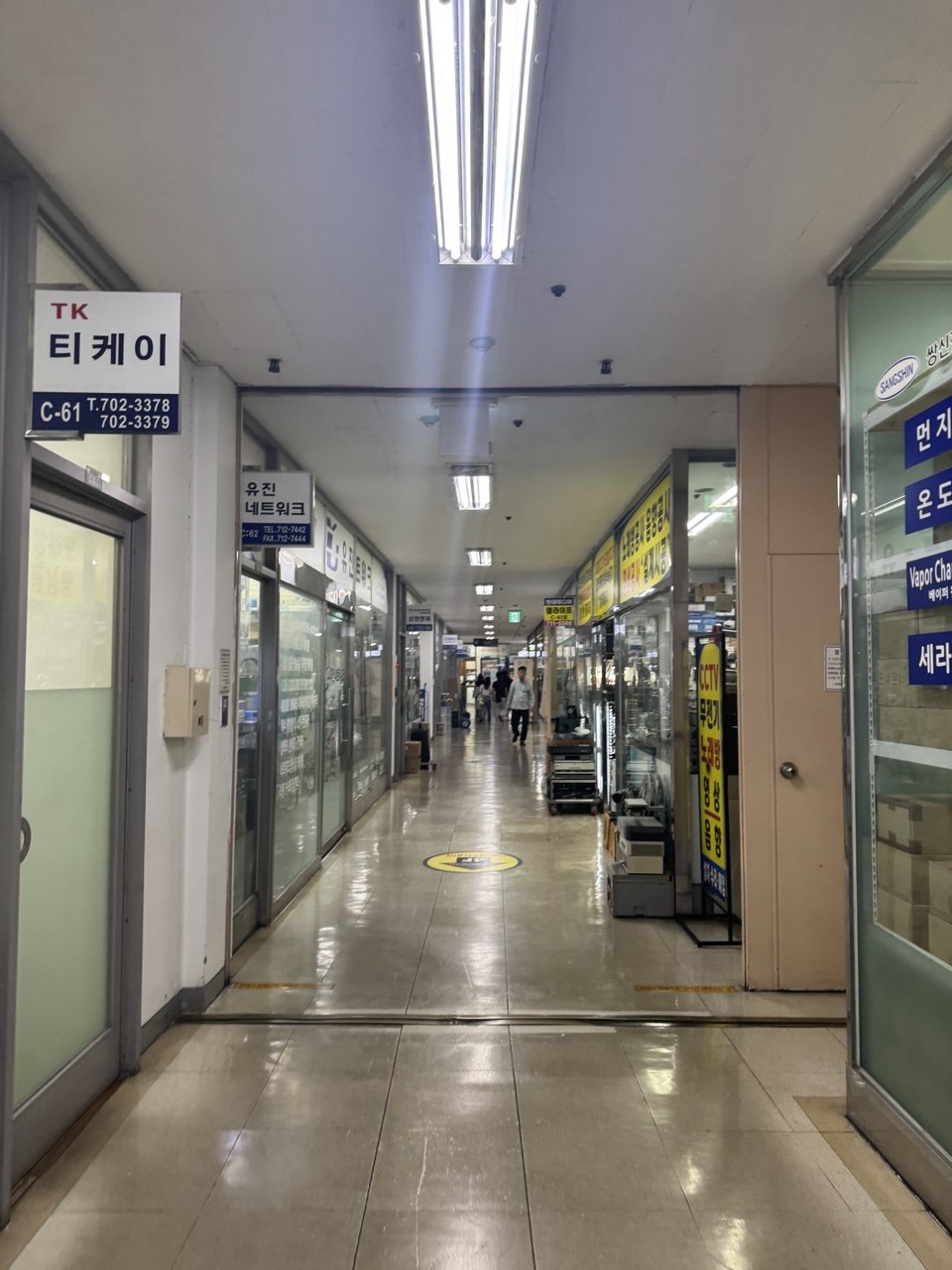
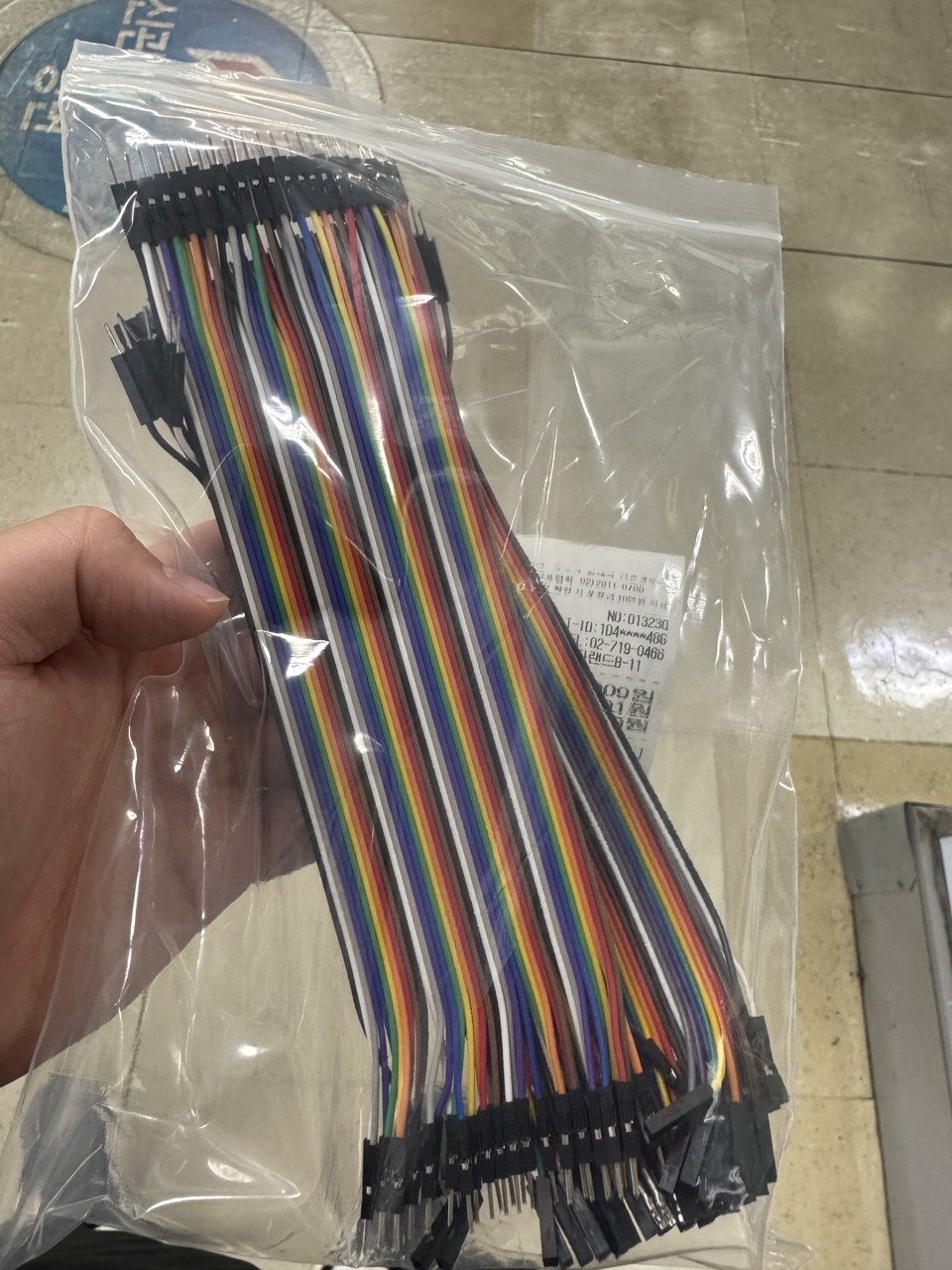

All clear.
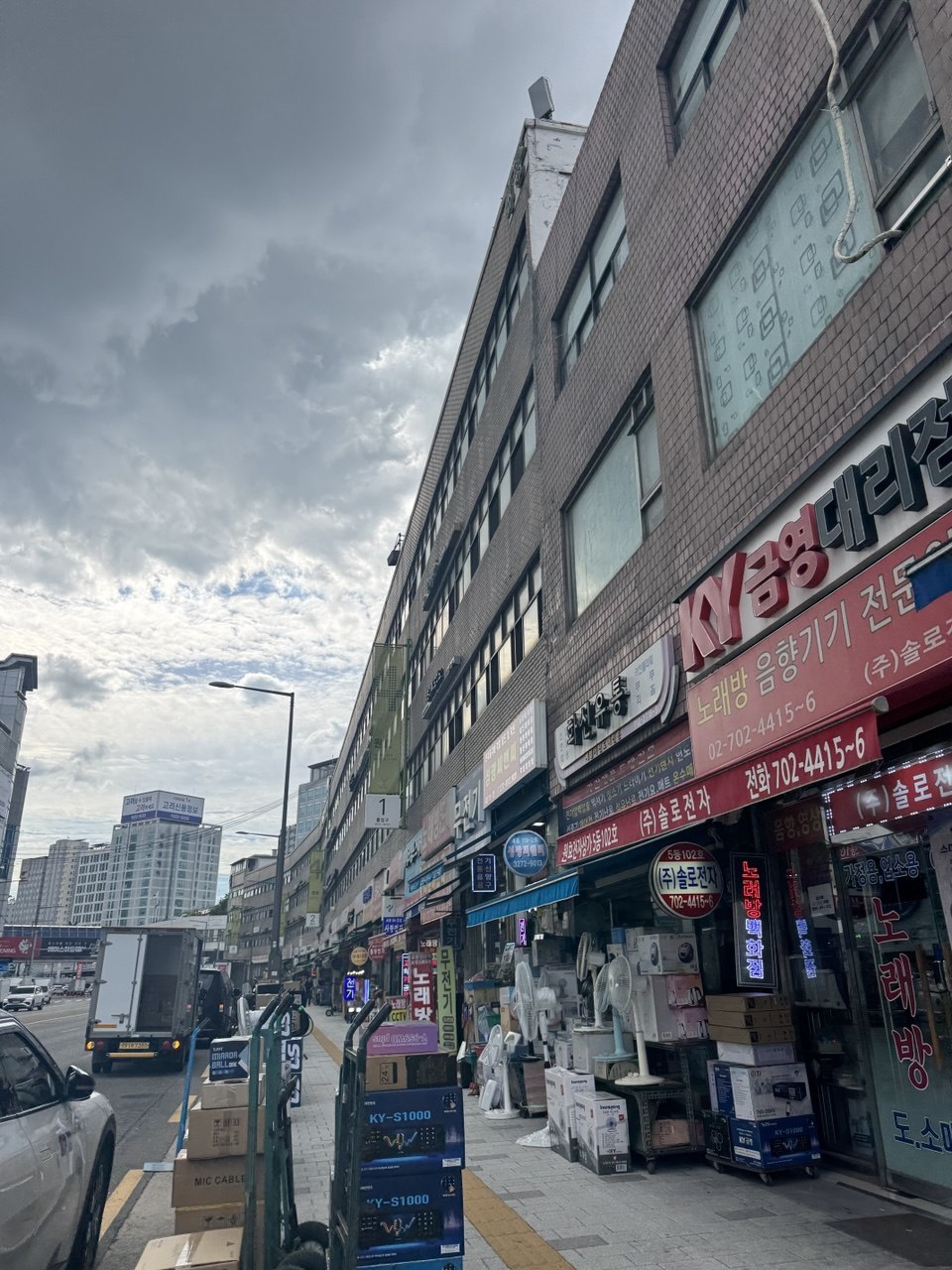
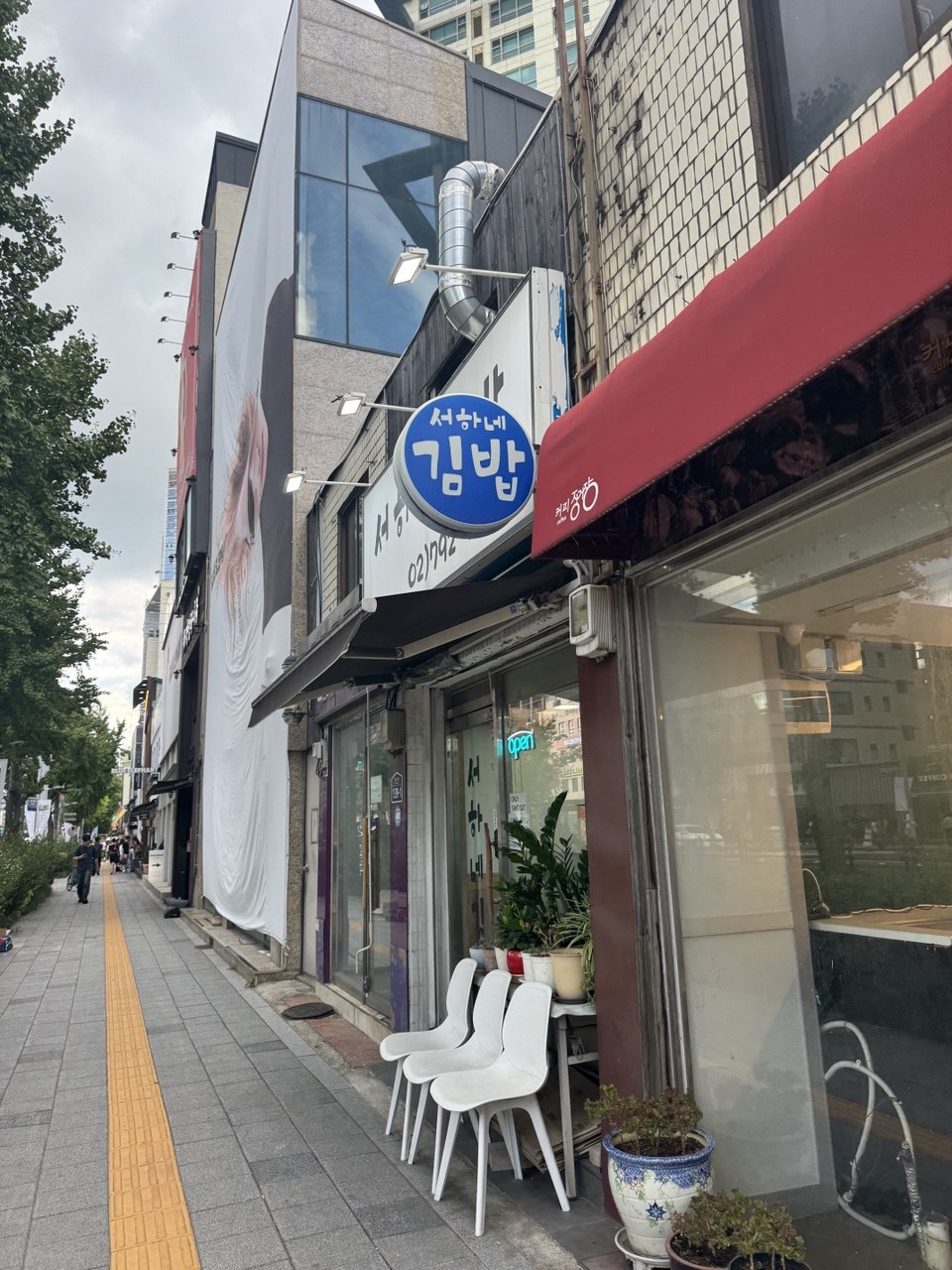
Now lets try to move the motor using esp32.
We will gonna use openRB to move the motor, and esp32 for the wifi connection.
Lets first use cloudflare for the test domain.
Phone → Cloudflare → ESP32-S3 → OpenRB-150 → XC330
The key idea is that ESP32 handles Wi-Fi/network communication,
while OpenRB-150 handles the XC330 motor control.
<Step-by-step plan>
Step 1 — Test XC330 with OpenRB-150
Connect XC330 directly to OpenRB-150.
Connect OpenRB-150 to the PC via USB.
Install the OpenRB board support and DYNAMIXEL2Arduino.
Use the current XC330 settings: ID = 1, Baudrate = 57,600.
Upload a simple test program.
Goal: make the XC330 move successfully.
Step 2 — Connect ESP32-S3 to OpenRB-150
Connect ESP32-S3 and OpenRB-150 through UART.
ESP32 sends simple commands such as:
MOVE 2048
OpenRB receives the command and converts it into a DYNAMIXEL command.
Goal: control the XC330 through ESP32.
Step 3 — Add Wi-Fi to ESP32
Connect ESP32-S3 to the home Wi-Fi.
Run a simple HTTP server on the ESP32.
Test something like:
http://ESP32_LOCAL_IP/move?position=2048
Goal: control the motor from another device on the same network.
Step 4 — Add Cloudflare
Do not start with Cloudflare.
Once local control works, add the Internet-facing connection.
The important constraint is no router port forwarding.
ESP32 should maintain an outbound/persistent connection rather than running cloudflared directly on the ESP32.
Goal: control the ESP32 remotely through your Cloudflare domain.
Phone
↓
Cloudflare
↓
ESP32-S3
↓ UART
OpenRB-150
↓ TTL
XC330
1. Motor works → 2. ESP32 controls motor → 3. Wi-Fi works → 4. Cloudflare works → 5. Complete remote system
To be continued in next post.
| [Solved] ESP32 WebSocket Disconnected 문제 해결 및 배포체인 완성 (0) | 2026.08.31 |
|---|---|
| [PROJECT OVERVIEW] Life Switch (0) | 2026.08.11 |